
In our visually-driven digital world, we share and consume images constantly. From vacation photos and social media updates to professional portfolios and online sales, high-quality visuals are key. But high-quality images often come with large file sizes, which can be a real headache. They eat up storage space on your devices, take forever to upload or email, and can slow down websites and apps to a crawl.
The solution? Image compression.
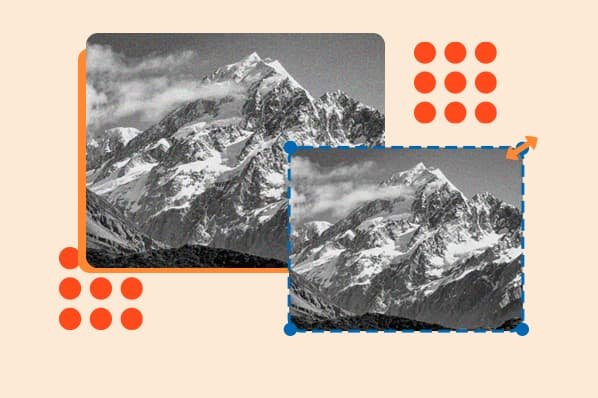
(Image: A simple, effective visual showing two versions of the same photo side-by-side. The “Original” has a large file size (e.g., 5.2 MB), and the “Compressed” version looks virtually identical but has a much smaller file size (e.g., 650 KB). This instantly demonstrates the power of compression.)
What is Image Compression, Anyway?
Image compression is the process of reducing the file size of a digital image without a significant loss in quality. Think of it as cleverly packing the data that makes up an image into a smaller, more efficient package. This makes the image easier to store, faster to send, and quicker to load.
There are two main ways to “pack” this data:
1. Lossless Compression: The Perfect Copy
- What it is: Lossless compression reduces file size by identifying and eliminating redundant data, but it does so without throwing away any of the original information. When you open a losslessly compressed file, the original data is perfectly reconstructed.
- The result: You get a smaller file size with absolutely zero loss in image quality. The reduction in size is usually modest but meaningful.
- Best for: Images where every single detail matters. This includes technical drawings, medical images, logos, and graphics with sharp lines and text. The most common lossless format is PNG.
2. Lossy Compression: The Smart Compromise
- What it is: This is a more aggressive method. Lossy compression permanently removes some of the image data that it deems least important—details that the human eye is unlikely to notice.
- The result: You can achieve a massive reduction in file size. While some data is lost forever, modern compression algorithms are so sophisticated that the difference in quality is often imperceptible for everyday photos.
- Best for: Photographs and complex images with lots of colors and gradients. This is the standard for most images you see on the web. The most popular lossy format is JPEG.
Why Should You Care? The Real-World Benefits
Beyond just saving space on your hard drive, image compression makes a tangible difference in many everyday situations:
- Faster Photo Sharing: Sending a full-resolution photo album to family via email or a messaging app can be slow and frustrating. Compressing the images first makes the process quick and painless.
- Smoother Social Media: Platforms like Instagram and Facebook automatically compress your uploads. By compressing them yourself beforehand, you have more control over the final quality and can ensure your images look their best.
- Saving Mobile Data: Loading uncompressed, high-resolution images can quickly eat through your mobile data plan. Compressed images mean websites and apps load faster and use less data.
- More Room for What Matters: Whether it’s your phone, laptop, or cloud storage, space is finite. Compressing your## The photo library means you can store thousands more memories in the same amount of space.
- Quicker Backups: Back Ultimate Guide to Image Compression: Smaller Files, Same Quality
In our visually-driven worlding up your devices is crucial. A photo library full of compressed images will take significantly less time to back up to an high-quality images are everywhere. From the photos we share on social media to the graphics on our favorite websites, images external drive or the cloud.
Easy Tools for Everyone
You don’t need to be a tech expert to compress your are a key part of our digital lives. But have you ever wondered how it’s possible to send and store so many images. Many free and user-friendly tools are available:
- Online Tools: if you want to compress or reduce size of jpg you can use Shrinkjpgsize.com
- Built images without instantly filling up our devices or waiting forever for them to load? The answer lies in a clever process called image-in Software: Most operating systems have built-in image viewers (like Preview on Mac or Photos on Windows) that allow you compression.
This guide will demystify image compression, explaining what it is, how it works, and why it’s to resize and export images at smaller sizes.
- Mobile Apps: The app store is full of apps designed so important. We’ll also explore the different types of compression and introduce you to some popular tools that can help you shrink to resize and compress photos directly on your phone before you share them.
So next time you’re about to send your own image files.
What is Image Compression and Why Does It Matter?
At its core, image compression is the process of reducing the file size of a digital image without drastically degrading its quality. Think of it like a a massive photo file, take a moment to compress it. You’ll save time, storage space, and make the magical shrinking device for your pictures. By making files smaller, compression offers several key benefits:
**Saves digital experience smoother for both yourself and the person on the other end.